Hand over client sites properly. Then stop answering the same questions.
SE Handover puts a branded Site Guide in your client's dashboard. It also builds a printable Site Passport automatically and reminds everyone before a domain, SSL certificate or licence expires.
Welcome to your new website! Everything you need to look after it is right here.
- Click any text to change it.
- Use + to add a block.
- Click Save. Changes are live straight away.
Launch day goes well. The months after are the hard part.
Every agency gets the same three emails after handing a site over. SE Handover is built to stop all three.
How do I change the homepage again?
The client forgot the walkthrough you gave on launch day, so you explain it again. And again.
Who hosts our website?
A year later nobody remembers the host, the registrar, or which plugins are doing what.
Our website is down!
The domain or a premium licence expired quietly because the renewal email went to someone who left.
Everything a proper handover needs
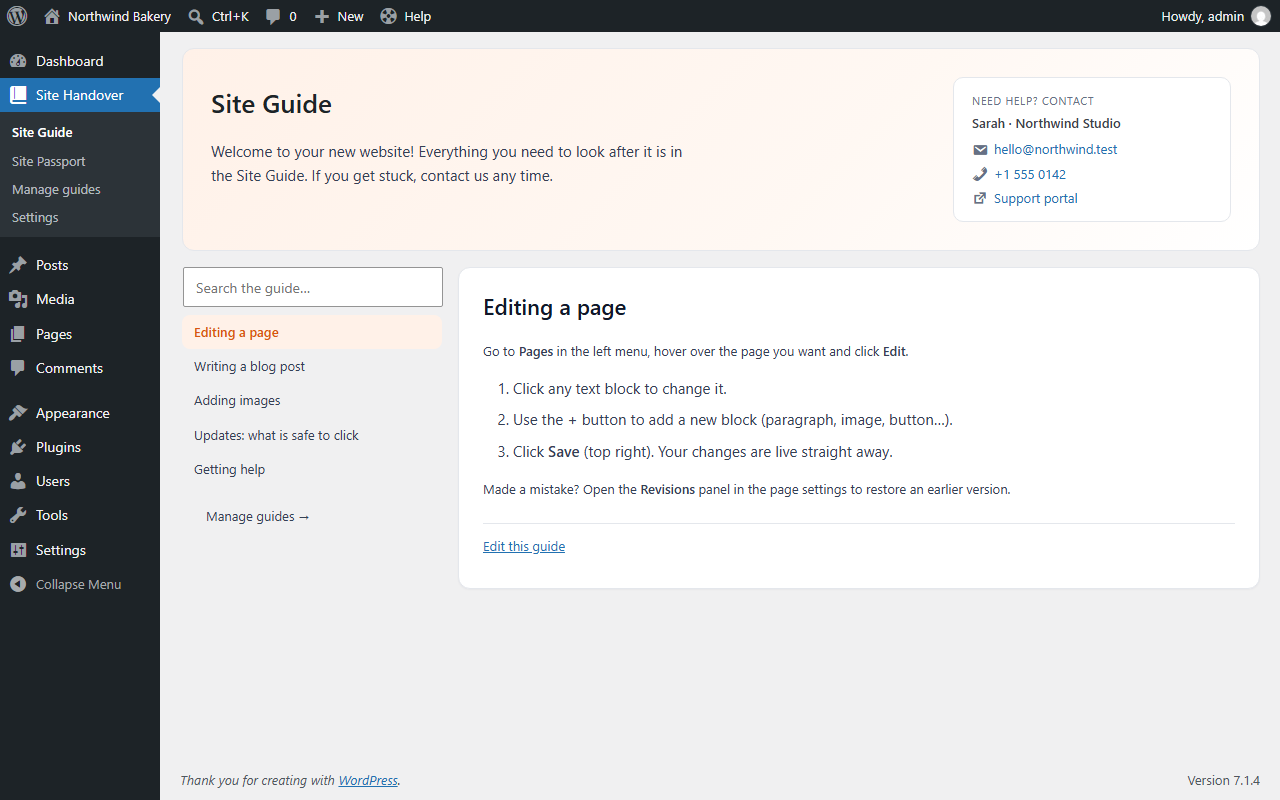
Site Guide
A friendly help centre in the client's own dashboard, with your logo, welcome message and contact details.
- Write guides in the block editor. Five starter guides are included.
- Instant search, plus a Help button in the admin bar on every screen.
- Export and import: write your guides once and reuse them on every client site.
- Clients can read guides but can't edit them.
Site Passport
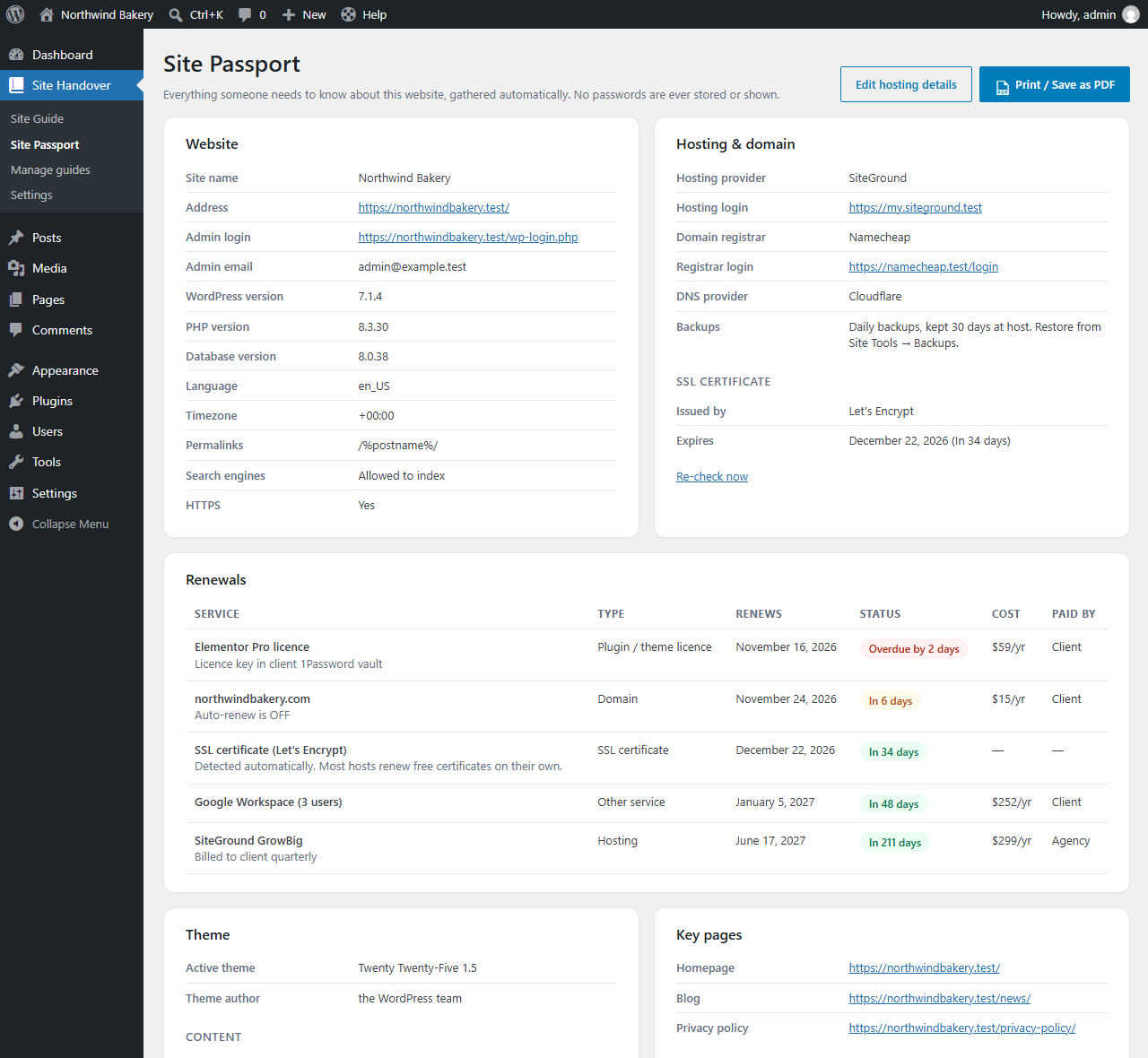
All the key facts about the website, collected automatically. One click turns it into a branded handover document you can print or save as PDF.
- WordPress, PHP and database versions, theme, and every active plugin with what it does.
- SSL certificate issuer and expiry date, detected automatically.
- Hosting, registrar, DNS and backup notes, plus key pages and administrators.
- Never stores passwords, by design.
Renewal reminders
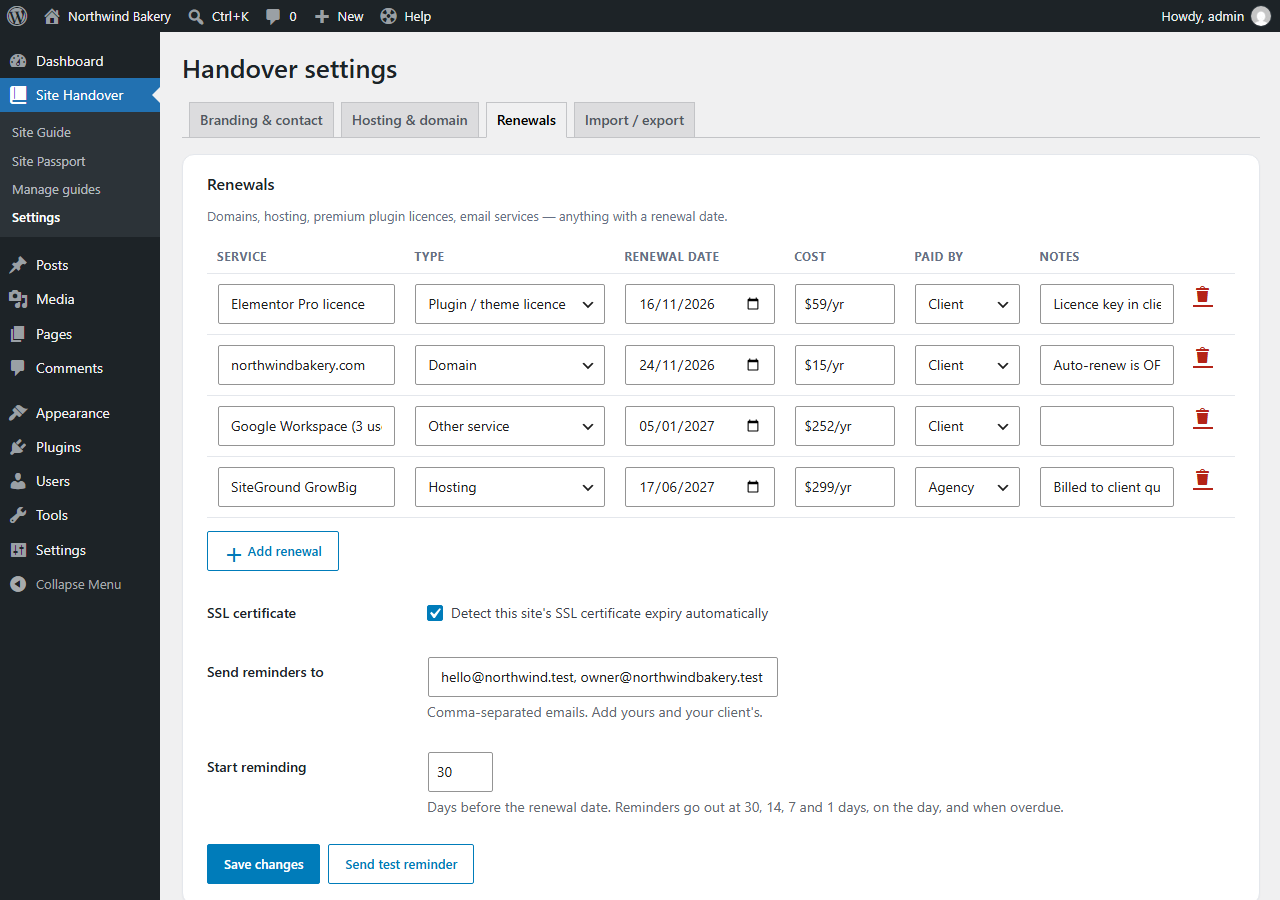
Track every service with a renewal date: domains, hosting, premium plugin licences, email services. Reminders go to you, your client, or both.
- Emails at 30, 14, 7 and 1 days before, on the day, and when overdue.
- Record the cost and who pays (agency or client), so there are no surprises.
- A dashboard widget shows what needs attention.
- Use "Send test reminder" to confirm the site can send email.
From install to handover in 10 minutes
Install & brand it
Activate the plugin, then add your logo, contact details and welcome message.
~2 minutesFill in the gaps
Add the host, registrar and backup details. Everything else is collected automatically.
~3 minutesAdd renewals
Add the domain, hosting and licences with their dates. Put your client's email on the reminder list.
~3 minutesSend the PDF
Click Print / Save as PDF and email your client a professional handover document.
~1 minute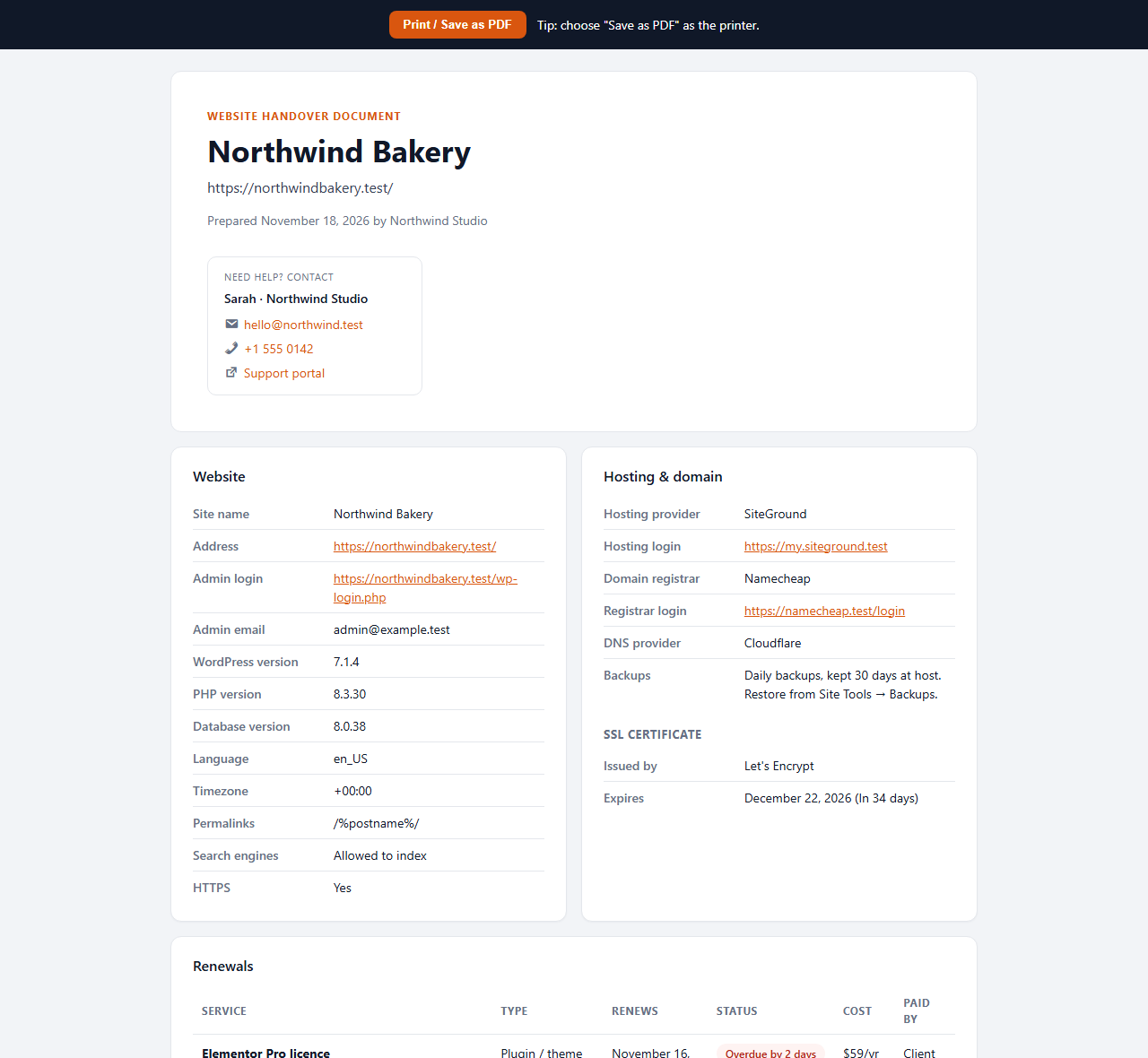
Small touches that matter
White-label ready
Rename the menu to "Help" or your agency name. Your logo appears on the guide and the PDF.
Write guides once
Export your guide library as JSON and import it on your next site in seconds.
No passwords, ever
It records where things are, not how to log in. Credentials belong in a password manager.
Nothing leaves the site
No external API, no tracking, no account. Everything stays in your WordPress database.
Right-sized permissions
Editors can read the guide. Only administrators see the passport, renewals and settings.
Lightweight
Loads nothing on your public website. Scripts run only on the plugin's own admin screens.
Free. Use it on every client site.
SE Handover
- Site Guide with starter guides, search and admin-bar Help button
- Auto-generated Site Passport with SSL detection
- Printable, branded handover PDF
- Unlimited renewals with email reminders
- Guide export / import between sites
- GPL licensed. No account, no lock-in
Upload it in WordPress under Plugins → Add New → Upload Plugin.
Questions, answered
Does SE Handover store passwords?
No, and that's deliberate. It records where things are, such as the hosting provider and login URLs, but never the credentials. Keep those in a password manager such as 1Password or Bitwarden and share them separately.
Who can see the Site Guide, and who can edit it?
Anyone who can edit posts (editors, authors, administrators) can read the Site Guide. Only administrators can write guides or see the Site Passport, renewals and settings.
How does the SSL expiry detection work?
Every 12 hours the plugin connects to your own domain on port 443 and reads the certificate's expiry date. Nothing is sent to any third party. Free certificates usually renew themselves, so the plugin only flags them in the final week.
Reminder emails aren't arriving. What should I do?
Click Send test reminder on the Renewals tab. If it fails, the server can't send email at all, which also affects password resets and contact forms. Install an SMTP plugin to fix it.
Can I white-label it for my agency?
Yes. Rename the menu (for example to "Help" or your agency name), add your logo, and write your own welcome message. Your branding appears on the guide, the dashboard widget and the printed PDF.
Does it slow down my website?
No. SE Handover loads nothing on the public site. Its CSS and JavaScript only load on its own admin screens and the dashboard.
What happens if I delete the plugin?
By default your guides and settings are kept, so reinstalling restores everything. If you want a clean removal, tick "Delete all guides and settings" in Settings before deleting the plugin.
Make your next handover the last awkward one.
Free, lightweight, and set up in ten minutes.